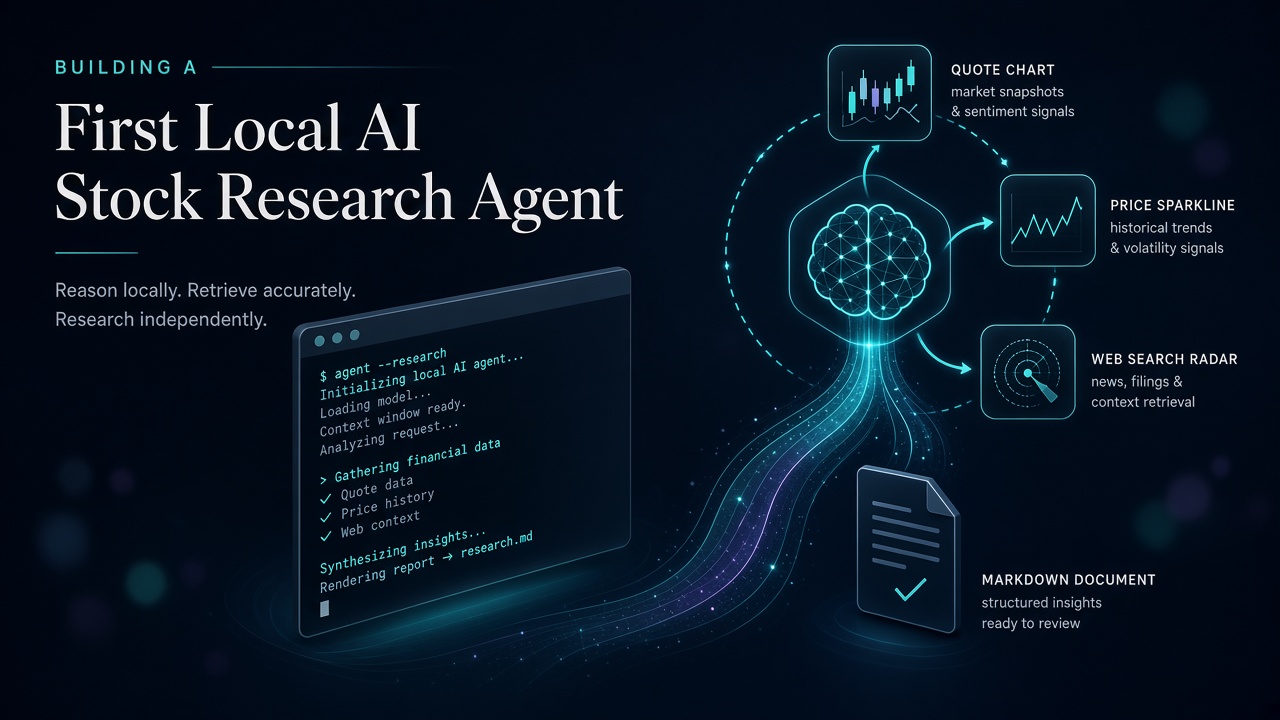
I did not want another chatbot that “sounds like” it checked the market.
I wanted something smaller and more honest: a CLI that, when I type AAPL, is forced to call tools for a quote, history, and web context — then synthesise a cautious research note on a model running on my own machine.
So I built Stock Research Agent — my first real agent. Not a notebook demo. A thin Python package with a loop, a harness, three tools, and a prompt that behaves like product policy.
This post is the field notes. It also maps cleanly onto the four topics I wrote about in Every Applied AI Architect Should Know These Topics: prompt, context, harness, evals.
What it does
One command:
python -m stock_agent AAPLUnder the hood that expands into a research prompt, then the agent must:
- Fetch a near-real-time quote (
yfinance) - Optionally pull recent daily closes for trend context
- Search the web for catalysts (DuckDuckGo)
- Ask local NousResearch Hermes 4 14B (via an OpenAI-compatible server on
localhost:1234) to write markdown: Live snapshot → Recent context → Cautious outlook → Risks → Disclaimer
Interactive mode works too — a simple You> REPL for follow-ups. Educational analysis only. Not financial advice. The agent is required to say that out loud at the end of every answer.
Agent ≠ one completion
A chatbot is: prompt in, text out.
An agent is: prompt in → model decides → tools run → results return → model decides again → … until it stops with a final answer.
That middle part is the loop. The thing that owns the loop is the harness.
I did not write a custom loop. I used the OpenAI Agents SDK Runner as the harness and focused my energy on instructions, tools, and local-model quirks — which is exactly where first agents teach you the most.
User / CLI
    ↓
build_agent()          ← instructions + tools + local model
    ↓
Runner.run(agent, prompt)   ← the harness / tool loop
    ↓
Hermes 14B  ↔  get_stock_quote
            ↔  get_stock_history
            ↔  search_web
    ↓
final_output (markdown research note)
The harness is three lines (and a whole product)
In main.py the run site looks almost boring:
async def _run_once(agent, prompt: str) -> str:
    result = await Runner.run(agent, prompt)
    return result.final_output or ""
That is the point. The harness’s job is to be dull and reliable:
- Call the model with the conversation so far
- If the model returns a final answer → stop
- If the model returns tool calls → execute them, append JSON results, loop
There is a second loop in the project too — the interactive while True: input("You>") REPL. Do not confuse the two. One is you talking to the agent. The other is the agent talking to tools.
Defining the agent: prompt as policy
build_agent() wires a local OpenAI-compatible client to Hermes and attaches three tools. The interesting bit is the instructions — this is prompt engineering as a behaviour contract, not poetry:
- You MUST call tools. Never invent prices, volumes, dates, or news.
- Always quote first when a ticker appears.
- Always search before any outlook.
- Separate facts from speculation.
- Fixed markdown sections + a hard disclaimer line.
That is the same idea as “prompts are configuration” from the applied-architect post — just living in a ~40-line string instead of an enterprise Prompt Builder template.
The local-model gotcha that almost killed the demo
Small local models love to narrate tool use instead of doing it. They write fake JSON. They “summarise the market” from training cut-off vibes.
Two defences mattered:
- Prompt law: “Do not write fake JSON or pretend tool output. Use real function calls.”
- Harness knob:
ModelSettings(tool_choice="required")so the first turn cannot skip tools.
Also: set_tracing_disabled(True) — local servers are not OpenAI’s cloud, and you do not want the SDK politely asking for a cloud API key while you are trying to talk to Hermes on port 1234.
If you only steal one line from this project, steal tool_choice="required" for your first local agent.
Tool design: context as JSON, not vibes
Context engineering here is not a vector database. It is three tools that return compact, honest JSON the model can cite:
get_stock_quote— price, change, volume, ranges,as_of_utc, plus a note that yfinance may be delayedget_stock_history— last 20 daily closes only (deliberately small for a 14B context window)search_web— max 5 DuckDuckGo hits with title / url / snippet
Errors return JSON too ({"error": "..."}) so the loop can recover instead of exploding mid-turn. That is harness thinking applied to tool contracts: fail soft, stay machine-readable.
No long-term memory. No RAG over PDFs. Per-run context is whatever Runner accumulates — user prompt + tool results. For a first agent, that constraint is a feature. You learn the loop before you drown in infrastructure.
UX sugar that earned its keep
Typing NVDA should not require a TED talk. If the CLI argument looks like a ticker (no spaces, ≤ 8 chars), it expands to:
Research NVDA: give a live quote snapshot, recent news from the web, and a cautious outlook with risks.
Longer strings pass through unchanged. Connection errors print a hint to check BIONIC_BASE_URL. Model 404s tell you to curl /v1/models and fix BIONIC_MODEL. Small things. They decide whether you run the agent again tomorrow.
Where this sits on the four topics
| Topic | In this first agent |
|---|---|
| Prompt engineering | Instructions as policy: must-call-tools, section template, disclaimer |
| Context engineering | Quote + history + search JSON; compact payloads for a small local model |
| Agent harness | OpenAI Agents Runner loop; local client; tracing off; tool_choice=required |
| Agent evals | Honest gap — none yet. Next on the list. |
That last row is deliberate. Shipping without evals taught me the shape of the system. Operating without them is how you get confident nonsense. Next experiments: a golden set of tickers/questions, assert that quote + search were called, and score “no invented numbers.”
What I would add next
- Evals: ten fixed scenarios; fail the run if tools were skipped or prices appear without a quote tool result
- Streaming + traces: show tool calls live in the terminal so the loop is visible
- Stricter tool schemas: reject outlook sections that cite headlines not present in search JSON
- Optional cloud model switch: same harness, different
base_url— prove the architecture is portable
Closing
My first agent is not clever because it uses a fancy framework. It is useful because it refuses to invent a stock price.
The loop belongs to the harness. The truth belongs to the tools. The behaviour belongs to the prompt. And until you add evals, you are still in the learning gym — which is fine, as long as you know which floor you are on.
If you are starting your own first agent: pick one job, three tools that return JSON, a local model you can restart at 1 a.m., and a prompt that sounds like a contract. Then force the first tool call. Everything else is polish.